Inspect 3D models
Interactively inspect YDR, YDD and supported YFT models. Model textures, origin axes, a 2-metre figure and a tape measure help you check your work.
Build props. Inspect textures. Design interfaces. Connect scripts. FANOVO brings your modding tools into a local Windows workspace.
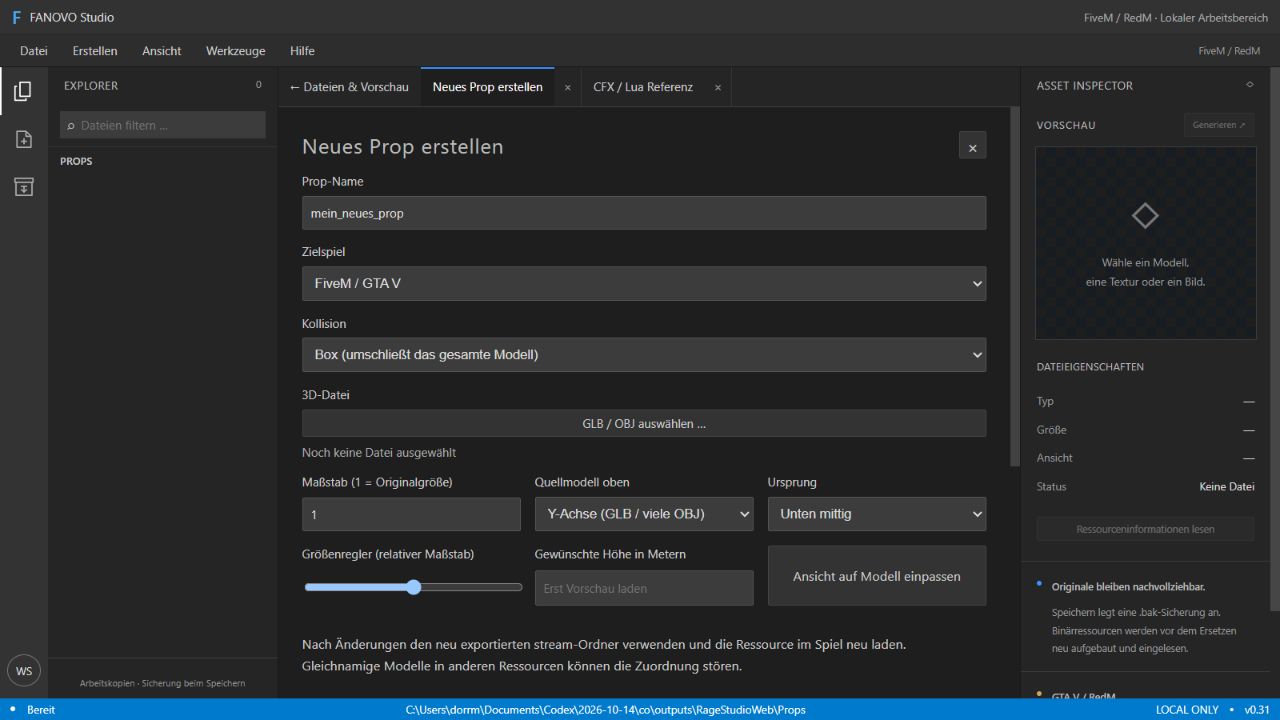
One box for the tabletop, more for the legs: build your collision shape from several adjustable boxes instead of one large hull.
30 detailed guides with 159 steps in total: create props, set multiple collisions, paint textures, design NUI and much more. With requirements, expected results and clear explanations of feature limits.
Open tutorials ↗Browse features. Understand their limits.
Find the right workflow.
Interactively inspect YDR, YDD and supported YFT models. Model textures, origin axes, a 2-metre figure and a tape measure help you check your work.
Import a model and set source axis, origin and scale. Preview processing starts after confirmation; generate a resource folder with a manifest.
Export new static model copies and simplified geometry. Compare existing LOD levels side by side. GTA LOD chains depend on the format.
View textures, export DDS and replace supported textures. Inspect the textures used by a model beside its preview.
View UV layouts, find missing preview textures and inspect colour, opacity and UV adjustments. Shininess is a preview approximation only.
Export YTDs and images as new PNG/DDS files, reduce resolution and generate DDS mipmaps. Source files are retained.
Edit readable YMAPs as XML and place local models. Multi-selection, moving, rotation, scaling and named groups.
Place rows of objects with spacing and reproducible variation. Place objects onto loaded geometry and query heights locally.
Index local maps, select a rectangle, load the region in 3D and export a mapper’s working package with resolvable assets.
Edit YTYP rooms, portal surfaces and object assignments. Check references and duplicate stream files.
Set multiple collision boxes directly on a prop: adjust each box’s position, width, depth, height and rotation, duplicate it or delete it. FiveM exports the boxes together in the prop; RedM currently supports working drafts only.
Set a hinge point and opening angle. Generate a scripted door resource; no native door model conversion.
Design panels, text, images, buttons and inputs. Import your own images and test interactively in fullscreen.
Inventory, shop, HUD, dialogue and character selection as starting points. Add your own game logic and server integration.
Multi-selection, moving and alignment together. Proportional layouts or screen anchors with height-based scaling.
Fade, slide, zoom and hover effects. Test 16:9, ultrawide and 5:4 and identify potentially clipped elements.
Display JSON test data, check button events and copy client code. HTML/CSS/JS, manifest and Lua are included in the export.
Edit Lua, JavaScript, JSON, XML, HTML/CSS and other text files. Lua syntax checking does not run your script.
Open documentation beside the editor and start your own client/server scripts with a resource structure.
Explorer with collapsible folders, right-click menu, renaming, new folders and recycle bin actions.
View text diffs, restore individual files with backups and detect hash conflicts. Reset NUI properties individually.
Tool tabs, recovery of supported drafts, project notes and export receipts help you resume your work.
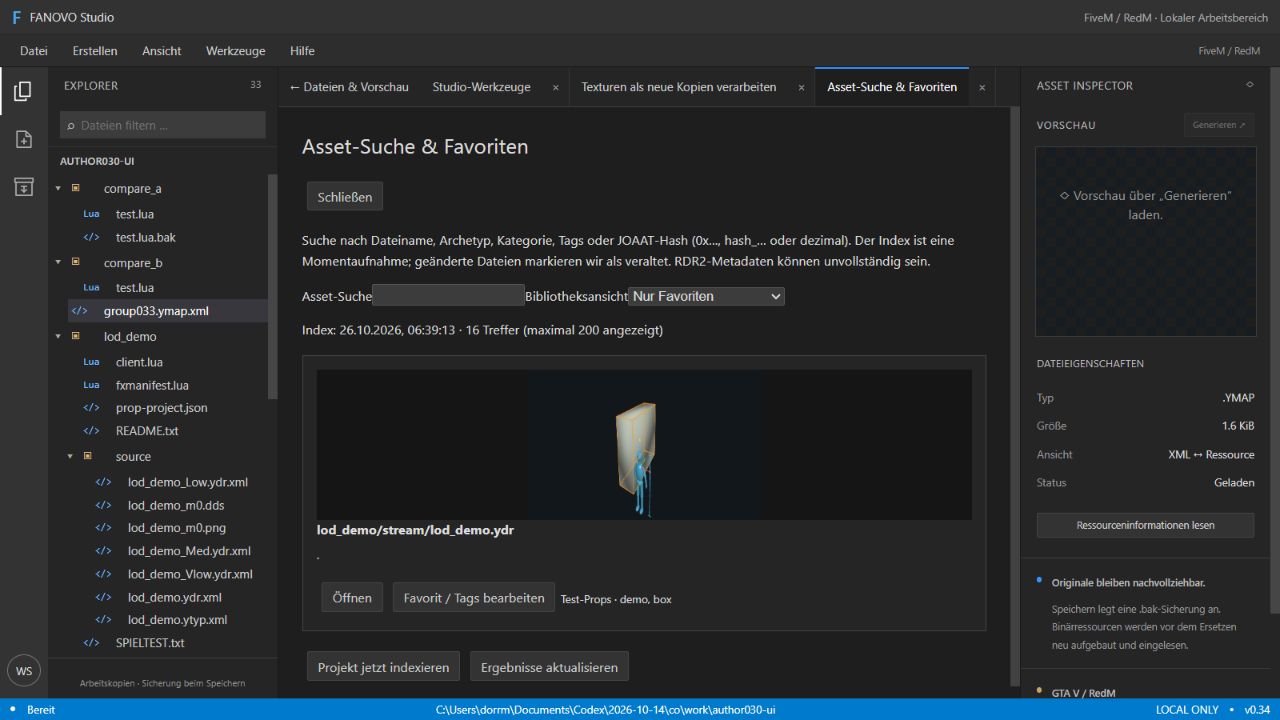
Search by filename, archetype or JOAAT hash. Manage favourites, categories, tags and local thumbnails.
Find missing local references, file conflicts and unchecked formats. Assemble resource packages and targeted project copies.
Guided introduction, task tutorials and command search. Save a local diagnostic package with explicitly selected attachments.
Select bones, edit poses and keyframes, import rigged GLBs and export GLB/JSON projects. No native YCD compiler.
Manage existing native clothing files and supported character models. No complete rigging or native skin deformation.
Browse supported archives and extract assets. RPF8 access depends on your own installation and available keys.
Initial RSC8 placement reader tested only with synthetic data. Not yet a complete RDR2 world browser or lossless map editor.
No matching feature found. Try a different search term.
Start from templates, use your own images
and take the Lua integration with you.
Load an inventory, shop, HUD, dialogue or character selection design template. Arrange panels, text, buttons, images and inputs. Groups, grid and anchors help with layout.
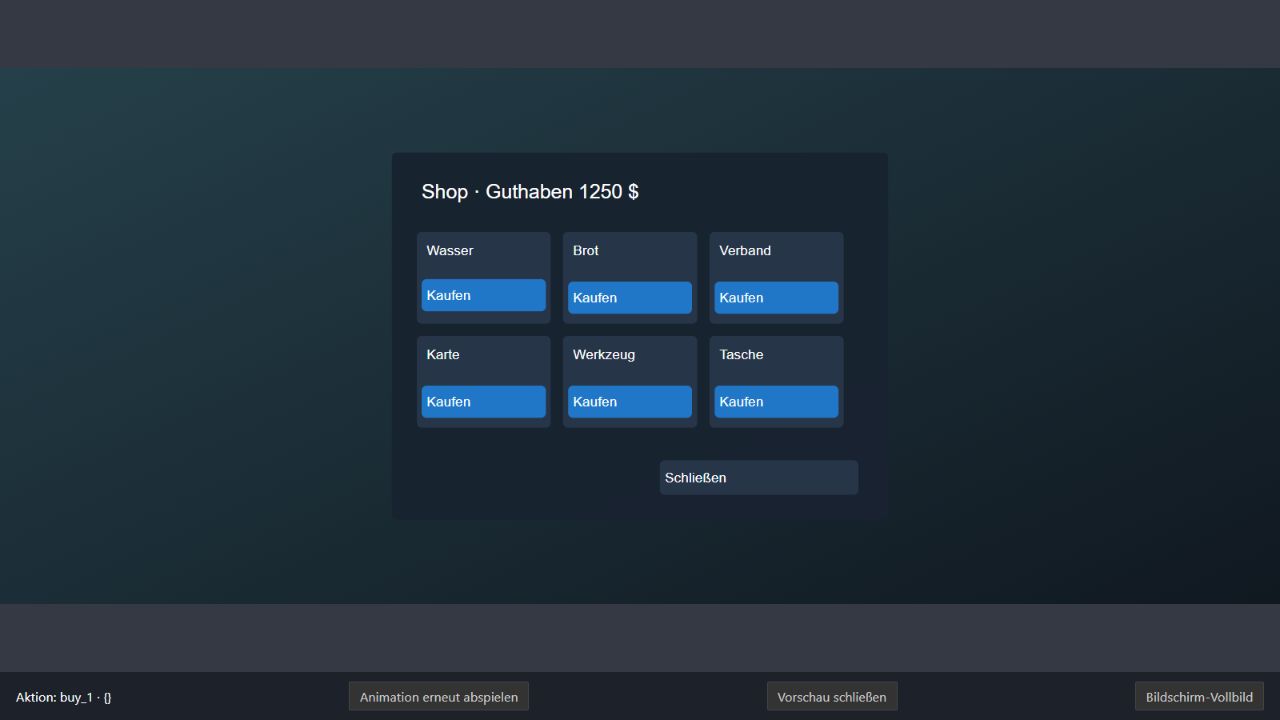
Search assets by name, archetype and hash, save favourites and check missing references. Compare project snapshots and restore individual files with backups.
FANOVO does not replace testing on your target server.
Model and texture tools, static prop copies, LOD comparison, YMAP XML, MLO rooms/portals and GTA YBN body editing.
YDR/YDD/YFT preview, bones and YTD tools. Static prop export is experimental. Oodle files require the DLL from your own game installation.
Local regions as mapper working packages. The RDR2 PRD0 placement reader has only been tested with synthetic data. No full world browser, terrain clipping or native RDR2 YBN editor.
Bone keyframes, GLB/JSON projects and management of existing clothing files. No native YCD compiler, full clothing rigging or native skin deformation.
Both plans unlock the same existing
Studio tools.
Checking payment availability …
Recurring monthly payment. Use the software while your paid subscription is active.
A permanent FANOVO Studio licence without a recurring licence fee.
Online licence verification is required at startup and after at most five minutes offline. Your projects stay local. Payment via Stripe Checkout. Prices in EUR. No VAT is charged or shown under section 19 of the German VAT Act (UStG). The total price is displayed before payment. Feature limitations apply to both plans.
Download and run the setup EXE. Setup detects existing setup installations. Select German or English in the editor and check for updates under Help. An active FANOVO licence is required. After a confirmed purchase, download the program from your customer account and sign in again in the application. One installation is enabled per account.
Download Windows version ↓Release information & checksum ↗Ask questions, share projects and discover new features: our WarDrix community brings together FANOVO Studio users working with FiveM and RedM.
The features are identical. The monthly subscription costs €10 per month and renews automatically. Lifetime costs €500 once, without recurring licence fees. Both require regular online licence verification.
Open “Manage subscription & invoices” in your account. The Stripe customer portal lets you cancel at the end of the period and view invoices. Paid access continues until the end of that period.
Once payment is confirmed, your plan is shown as active in your account. Create program access there and connect it under Help → Licence in Studio. A new code replaces the previous one.
For up to five minutes after successful online activation, and for subscriptions no later than the end of the paid period. The licence must then be checked online again. Expired licences do not delete projects.
No. NUI templates provide interfaces with callback and Lua scaffolding. Add inventory, purchasing, permission or character logic yourself.
Not yet. The experimental placement reader has not been tested against real game YMAPs. Terrain, full archive streaming and native RDR2 collision editing are not included.
Not for many standalone files. Certain RDR2 files require Oodle from your own installation. In-game testing requires the target game and a suitable test server.
No. FANOVO Studio is an independent tool by ExDyson, not an official product of Rockstar Games, Take-Two or Cfx.re.